
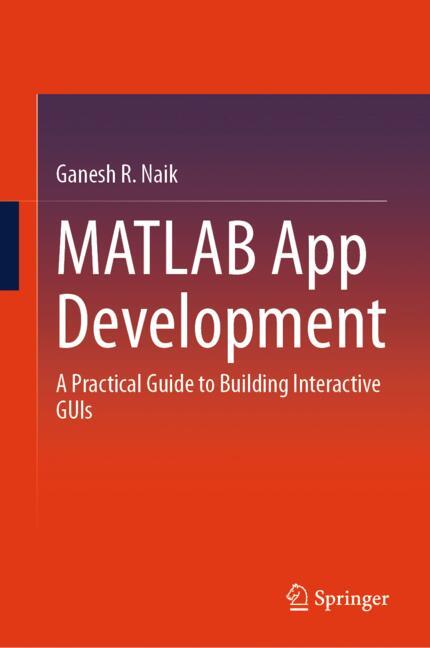
MATLAB App Development
☆☆☆☆☆
(0 reviews)
Lowest price (incl. delivery)
25 768,00 JPY
Typical price1 277,88 PLN
Lowest (90 days)54,00 PLN
Offers4
Last updated1 tuần trước
Price history (90 days)
Full history
2026-08-08
2026-08-15
| Cập nhật lúc | Giá |
|---|---|
| 2026-08-08 | 54,00 |
| 2026-08-15 | 196,19 |
| Người bán | Product price | Delivery | Tổng cộng | Tình trạng | Updated | |
|---|---|---|---|---|---|---|
| SP SpringerNatureLink Shop INT | 25 739,00 JPY | 29,00 JPY | 25 768,00 JPY | Có sẵn | 2 ngày trước | View offer |
| SP Springer Nature Author | 25 739,00 JPY | 25,00 JPY | 25 764,00 JPY | Có sẵn | 1 tuần trước | View offer |
| SP SpringerNatureLink Shop INT | 212,50 EUR | 15,00 EUR | 227,50 EUR | Có sẵn | 2 ngày trước | View offer |
| VI VitalSource | 1 132,80 ZAR | 29,00 ZAR | 1 161,80 ZAR | Có sẵn | 1 tuần trước | View offer |
Giá và tình trạng có thể thay đổi. Cập nhật lần cuối: 08.08.2026 06:36.
EAN
9789819587964
Springer Nature
0,0
☆☆☆☆☆
0 reviews
5★
0%
4★
0%
3★
0%
2★
0%
1★
0%
Product reviews
No reviews yet — be the first!
This book aims to democratize MATLAB’s power, making its advanced computational capabilities accessible to a wider audience, including those less familiar with traditional command-line programming. Through step-by-step examples, we guide readers through the process of developing functional applications, covering essential topics like debugging and deployment. We strive to bridge the gap between abstract MATLAB code and tangible, interactive interfaces, enabling users to create tailored tools for various fields, from scientific research to engineering design. This book’s main goal is to provide a clear and practical guide to building interactive applications within the MATLAB environment. Here, we meticulously detail the App Designer's visual layout tools, empowering readers to seamlessly integrate GUI components like buttons, sliders, and plots. This book’s focus extends beyond mere component placement, delving into the critical aspect of writing callback functions—the MATLAB code that breathes life into these interfaces. By demonstrating how to manage data flow between the GUI and MATLAB’s computational engine, and by illustrating the creation of dynamic visualizations, we equip readers with the tools to transform complex MATLAB scripts into user-friendly applications.
Similar products
 50 Years of Philosophy and Medicine
from $107.30
50 Years of Philosophy and Medicine
from $107.30
 Understanding Cybersecurity Law and Digital Privacy
from $122.63
Understanding Cybersecurity Law and Digital Privacy
from $122.63
 Decisions in International Trade and Logistics
from $122.63
Decisions in International Trade and Logistics
from $122.63
 Advances in Economic Measurement
from $122.63
Advances in Economic Measurement
from $122.63
 Nanomaterials
from $137.96
Nanomaterials
from $137.96
 Sustainable Scaffolds-based Strategies in Tissue Engineering and Regenerative Medicine
from $162.87
Sustainable Scaffolds-based Strategies in Tissue Engineering and Regenerative Medicine
from $162.87
 Narratives in Educational Research
from $162.87
Narratives in Educational Research
from $162.87
 Environmental Biology of the Young Chinese Sturgeon
from $210.78
Environmental Biology of the Young Chinese Sturgeon
from $210.78