
Computing with the Raspberry Pi
☆☆☆☆☆
(0 reviews)
Lowest price (incl. delivery)
53,99 USD
Typical price600,22 PLN
Lowest (90 days)25,19 PLN
Offers6
Last updated1週間前
Price history (90 days)
Full history
2026-08-08
2026-08-15
| 更新日時 | 価格 |
|---|---|
| 2026-08-08 | 27,99 |
| 2026-08-14 | 25,19 |
| 2026-08-15 | 37,44 |
| 販売者 | Product price | Delivery | 合計 | 在庫状況 | Updated | |
|---|---|---|---|---|---|---|
| SP SpringerNatureLink Shop INT | 34,99 USD | 19,00 USD | 53,99 USD | 在庫あり | 2日前 | View offer |
| SP SpringerNatureLink Shop INT | 34,99 USD | 15,00 USD | 49,99 USD | 在庫あり | 2日前 | View offer |
| SP SpringerNatureLink Shop INT | 34,99 USD | 19,00 USD | 53,99 USD | 在庫あり | 2日前 | View offer |
| SP SpringerNatureLink Shop INT | 41,30 EUR | 29,00 EUR | 70,30 EUR | 在庫あり | 2日前 | View offer |
| SP SpringerNatureLink Shop INT | 7 149,00 JPY | 15,00 JPY | 7 164,00 JPY | 在庫あり | 1日前 | View offer |
| SP Springer Nature Author | 7 149,00 JPY | 25,00 JPY | 7 174,00 JPY | 在庫あり | 1週間前 | View offer |
価格や在庫状況は変更される場合があります。 最終更新: 08.08.2026 10:41.
0,0
☆☆☆☆☆
0 reviews
5★
0%
4★
0%
3★
0%
2★
0%
1★
0%
Product reviews
No reviews yet — be the first!
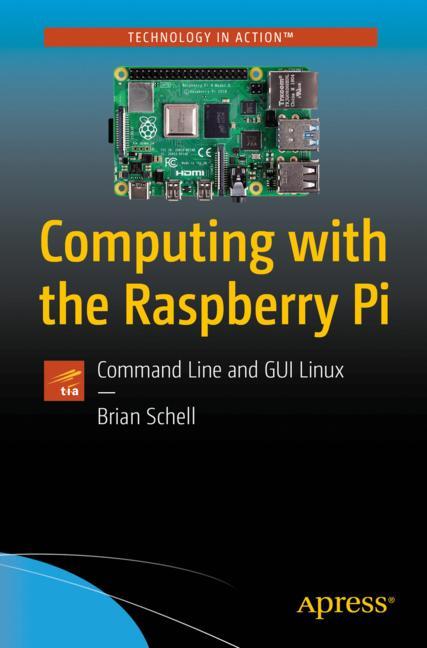
The Raspberry Pi is about as minimalist as a computer gets, but it has the power to run a full Linux operating system and many great desktop and command line tools as well. Can you push it to operate at the level of a $2,000 computer? This book is here to help you find out. The primary focus of this book is getting as much as possible done with a simple Pi through non-graphic, non-mouse means. This means the keyboard and the text-mode screen. On the desktop side, you'll look at many of the most powerful GUI apps available, as these offer an easy entry to get started as you learn the command line. You'll begin by setting up and configuring a Raspberry Pi with the option to run it as a graphical desktop environment or even more economically boot straight to the command line. If you want more performance, more efficiency, and (arguably) less complexity from your Pi that can only be found through the keyboard and command line. You'll also set up and configure a Raspberry Pi to use command line tools from within either the Raspberry Pi terminal, or by logging in remotely through some other computer. Once in, you'll look at Package Managers, Tmux, Ranger, and Midnight Commander as general-purpose power tools. The book then gets into specific task-oriented tools for reading email, spreadsheet work, notes, security, web browsing and design, social media, task and video password management, coding, and much more. There are conceptual overviews of Markdown, LaTeX, and Vim for work. What You'll Learn Set up a Raspberry Pi system to get real work done using only the command line Login to a Pi remotely to use it as a remote server Integrate desktop Linux with command line mastery to optimize a Pi Work with tools for audio, writing news and weather, books, and graphics. Who This Book Is For Those with minimal technical skills or hobbyists who are interested in “retro computing” or “minimalist” approaches.
Similar products
 50 Years of Philosophy and Medicine
from $107.30
50 Years of Philosophy and Medicine
from $107.30
 Understanding Cybersecurity Law and Digital Privacy
from $122.63
Understanding Cybersecurity Law and Digital Privacy
from $122.63
 Decisions in International Trade and Logistics
from $122.63
Decisions in International Trade and Logistics
from $122.63
 Advances in Economic Measurement
from $122.63
Advances in Economic Measurement
from $122.63
 Nanomaterials
from $137.96
Nanomaterials
from $137.96
 Sustainable Scaffolds-based Strategies in Tissue Engineering and Regenerative Medicine
from $162.87
Sustainable Scaffolds-based Strategies in Tissue Engineering and Regenerative Medicine
from $162.87
 Narratives in Educational Research
from $162.87
Narratives in Educational Research
from $162.87
 Environmental Biology of the Young Chinese Sturgeon
from $210.78
Environmental Biology of the Young Chinese Sturgeon
from $210.78